My LocalGov Drupal contributions for June 2026

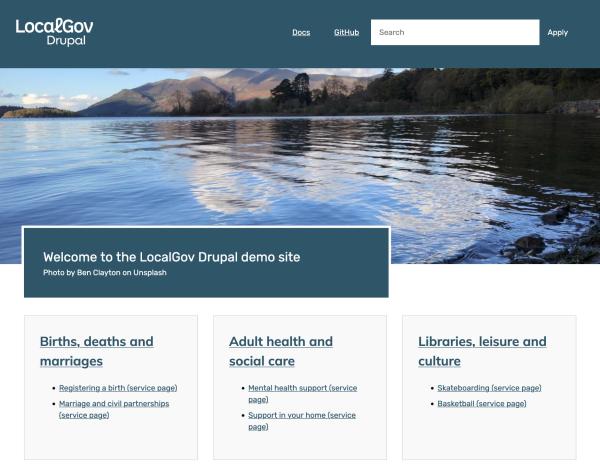
At last, I've started work on microsites demo content.
LocalGov Drupal
- LocalGov Publications Importer stopped working for me when using Gemini. I created an issue and a proof-of-concept MR. Thankfully we had the very clever Rupert on hand to review the MR and suggest an alternative approach. Hopefully we'll get that sorted in the coming weeks.
- Let's fix some coding standards issues with LocalGov Publications Importer.
- Here's one I quite like: now that we have a theme setting for equalising heights for blocks in layouts, I removed all the equal heights JS from LocalGov Microsites Base so we can set it via config. Yippee!
- A few minor issues for LocalGov Scarfolk:
- Add some tests for the Scarfolk theme
- Fix some php coding standards issues
- I saw the LocalGov Waste Collection module had some issues with CSS coding standards - one of my specialities. So I said I'd fix it! So now we also have a proposal in Drupal core to update the allowed list of CSS units in our
.stylelint.jsonfile - and much tidier CSS in the Waste Collections module.
LocalGov Bus Data
- The LocalGov Bus Data module got a major UI improvement to make all the text items on the homepage configurable with custom text. And also a second format for how we lay out and select areas.
- While at it, I completed a code review of the CSS to tidy it up and make it easier for implementing it with LocalGov Base.
- We then realised that when you are viewing a bus route result, the name of the bus company uses the "Operator ID" (e.g. OP123) instead of the name of the bus company (e.g. Mark's Super Bus Company). That's now fixed in a new 1.1.2 release.
- And then we added a .gitlab-ci.yml file so we can check for Drupal coding standards and other things.
- Oh, and we also added an improvement to give much more meaningful names to the Bus Stops on routes.
LocalGov Microsites
- At last, I managed to get started working on a demo content module for microsites. This will make demoing and developing for microsites a lot easier. I've nothing to show yet, as it's early days. But I'm going to spend next month on it.
Drupal
- We adapted the LinkChecker module recently to create the Link Checker per Node module so we could see a tab on each node to check for broken links for just that node. I created an issue to update that tab with the number of broken links for the node. Nice and handy, and a new release for the module. One step closer to a stable release.
Join the "Something nice ..." newsletter
The full title is "Something nice, something quirky, something else".
I send an email once a week with something nice, something quirky, and something else that I think is interesting (all with a web development theme, of course).